

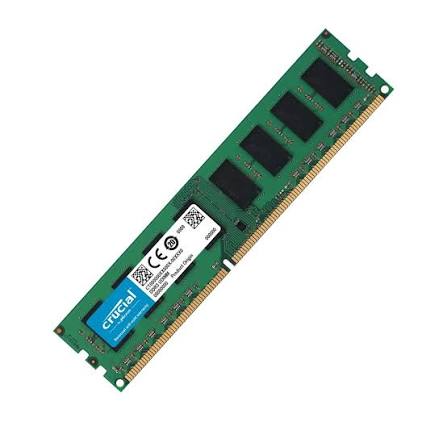
If you are building or upgrading a gaming PC, one of the most common questions is: How much RAM do you need for gaming? RAM plays an important role in gaming performance, multitasking, and overall system responsiveness.
For most gamers today, 16GB RAM is a good starting point, while 32GB RAM is an excellent choice for modern gaming, streaming, multitasking, and future-proofing. However, the ideal amount depends on the games you play, your PC configuration, and how you use your computer.
In this guide, we will explain how much RAM you need for gaming and help you choose the right RAM capacity for your gaming PC.
What Is RAM and Why Is It Important for Gaming?
RAM, or Random Access Memory, is temporary storage that allows your computer to quickly access the data it needs while running applications and games.
When you launch a game, your system loads important game data into RAM so the CPU can access it quickly. Having enough RAM can help your PC handle games smoothly while also running other applications in the background.
If your system does not have enough RAM, you may experience:
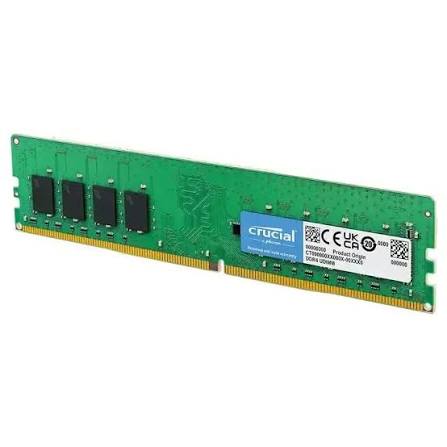
- Game stuttering
- Slow loading and system performance
- FPS drops in some situations
- Problems while multitasking
- Longer loading times
- Poor performance when running background applications
However, adding more RAM does not automatically increase FPS in every game. Once you have enough RAM for your workload, factors such as the CPU, GPU, storage, and game settings become more important.
How Much RAM Do You Need for Gaming?
The amount of RAM you need depends on your gaming requirements.
| RAM Capacity | Best For |
|---|---|
| 8GB | Basic/older gaming and light use |
| 16GB | Most gaming PCs and mainstream gaming |
| 32GB | Modern gaming, streaming, multitasking |
| 64GB+ | Enthusiasts, heavy workloads, content creation |
Let's look at each option in more detail.
Is 8GB RAM Enough for Gaming?
8GB RAM can still work for some games, particularly older or less demanding titles. However, it is no longer the ideal choice for a new gaming PC.
Modern games can use significant amounts of memory, and Windows, launchers, browsers, voice-chat applications, and other background programs also consume RAM.
If you are building a gaming PC today, choosing 16GB instead of 8GB is generally a better option.
Is 16GB RAM Enough for Gaming?
For many gamers, 16GB RAM is still a solid choice.
It is suitable for:
- Mainstream PC gaming
- Competitive games
- Most popular AAA games
- Everyday computing
- Light multitasking
- Gaming with applications running in the background
If you are working with a limited budget, 16GB can provide a good balance between price and performance.
For a new gaming PC, consider using a 2×8GB configuration when supported by your motherboard rather than relying on a single 16GB stick. This can enable dual-channel memory operation and provide better memory bandwidth.
Is 32GB RAM Better for Gaming?
32GB RAM is an excellent choice for a modern gaming PC, especially if you want additional headroom for demanding games and multitasking.
32GB can be particularly useful if you:
- Play demanding modern games
- Stream gameplay
- Record gameplay
- Keep many browser tabs open
- Use Discord or other applications while gaming
- Edit photos or videos
- Want your PC to remain capable for several years
For gamers who are building a mid-range or high-end PC, 32GB is a strong long-term option.
Do You Need 64GB RAM for Gaming?
For gaming alone, 64GB RAM is usually more than necessary.
However, it can make sense for users who combine gaming with demanding workloads such as:
- 4K/8K video editing
- 3D rendering
- Professional content creation
- Virtual machines
- Large development projects
- Heavy multitasking
If your main purpose is gaming, spending the extra money on a faster GPU, better CPU, or larger/faster SSD may provide more practical benefits than upgrading from 32GB to 64GB.
Does More RAM Increase FPS?
Not necessarily.
Increasing RAM can improve performance when your PC does not have enough memory. If your system is running out of RAM, adding more can reduce memory-related slowdowns and improve overall gameplay smoothness.
However, if your game already has enough available RAM, adding more memory may have little or no effect on average FPS.
For example, upgrading from 8GB to 16GB can make a significant difference in systems that are running out of memory. Moving from 16GB to 32GB may provide more headroom, but the FPS improvement depends heavily on the game and the rest of the system.
RAM Speed vs RAM Capacity: Which Matters More?
When choosing gaming RAM, two important specifications are capacity and speed.
Capacity refers to how much memory you have, such as 16GB or 32GB.
Speed refers to how quickly the memory can transfer data. Depending on the RAM generation, you may see specifications such as DDR4-3200 or DDR5-6000.
For most users, it is better to make sure you have enough RAM capacity first. After that, you can consider memory speed, timings, compatibility, and platform requirements.
DDR4 vs DDR5 for Gaming
DDR4 and DDR5 are different generations of memory technology.
DDR4 remains a capable option for many existing gaming PCs and can be cost-effective when upgrading an older compatible system.
DDR5 offers higher memory bandwidth and is used by newer CPU platforms. If you are building a new PC on a platform that supports DDR5, it can be a good choice for a modern system.
Keep in mind that DDR4 and DDR5 are not interchangeable. Your RAM must be compatible with your motherboard.
How to Choose the Right RAM for Your Gaming PC
Before buying RAM, consider these factors:
1. Check Your Motherboard Compatibility
Make sure the RAM generation is supported by your motherboard. Check whether your motherboard uses DDR4 or DDR5.
2. Choose the Right Capacity
For most new gaming PCs, consider:
- 16GB for mainstream gaming
- 32GB for demanding gaming and multitasking
- 64GB+ for gaming combined with professional workloads
3. Consider RAM Speed
Choose a memory speed that is supported and appropriate for your CPU and motherboard platform.
4. Consider Dual-Channel or Multi-Module Configurations
Using multiple compatible memory modules can provide higher memory bandwidth than a single-module setup on supported platforms.
5. Check Upgrade Options
If you expect to upgrade later, check how many RAM slots your motherboard has and its maximum supported memory capacity.
How Much RAM Do You Need for Gaming and Streaming?
If you stream your gameplay while running a game, browser, Discord, streaming software, and other applications, 32GB RAM is a sensible choice.
Streaming performance also depends heavily on your CPU, GPU, encoder, internet connection, and streaming settings. RAM is only one part of the overall setup.
How Much RAM Do You Need for a Gaming PC in 2026?
For a gaming PC in 2026, 16GB can still be suitable for mainstream gaming, but 32GB is the better choice for many new builds if your budget allows it.
If you are building a high-end gaming PC or want to run demanding games alongside streaming, content creation, and other applications, 32GB or more can provide additional headroom.
Instead of focusing only on RAM capacity, consider the complete system: CPU + GPU + RAM + SSD + motherboard + power supply.
Final Thoughts
So, how much RAM do you need for gaming?
For most gamers, 16GB RAM is a practical minimum for a modern gaming setup, while 32GB RAM is an excellent choice for a new gaming PC. Gamers with demanding professional workloads may benefit from 64GB or more.
If you are upgrading your PC, don't look at RAM capacity alone. Make sure your memory is compatible with your motherboard and CPU, and consider speed, configuration, and your overall system requirements.
The right RAM upgrade can help your gaming PC handle modern games, multitasking, and future software more comfortably.
Frequently Asked Questions
Is 16GB RAM enough for gaming?
Yes. 16GB is suitable for many gaming PCs and mainstream games, although 32GB provides more headroom for demanding games and multitasking.
Is 32GB RAM overkill for gaming?
Not necessarily. For a modern gaming PC, 32GB can be a practical choice, especially for streaming, multitasking, and demanding games.
Is 8GB RAM enough for gaming?
8GB can run some games, particularly older or less demanding titles, but 16GB is a better choice for a new gaming PC.
Does RAM speed affect gaming performance?
Yes, RAM speed and memory timings can affect gaming performance, but the impact varies by game and hardware platform. Having sufficient RAM capacity should generally be the first priority.
Should I buy 1×16GB or 2×8GB RAM?
On platforms that support dual-channel memory, 2×8GB can provide higher memory bandwidth than a single 16GB module. Always check your motherboard's compatibility and upgrade requirements.
more detail
GTI MAU