

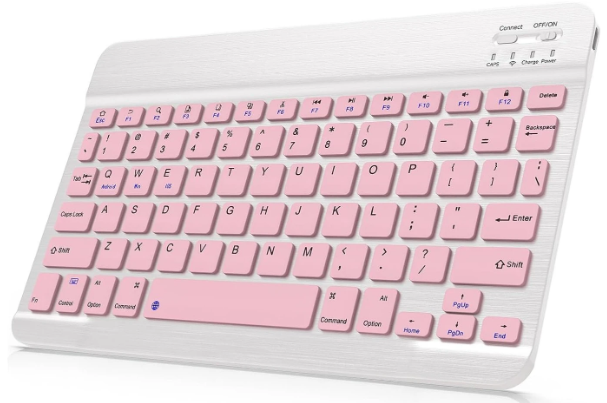
Best Keyboard Buying Guide: Choose the Right Keyboard for Work, Study & Gaming
A keyboard is one of the most important accessories for any computer or laptop setup. Whether you use your computer for office work, online study, gaming, programming, or everyday browsing, choosing the right keyboard can make your work more comfortable and efficient.
With so many options available today, finding the best keyboard can sometimes be confusing. Different keyboards offer different designs, features, connectivity options and typing experiences. In this guide, we will explain the important things you should consider before buying a keyboard.
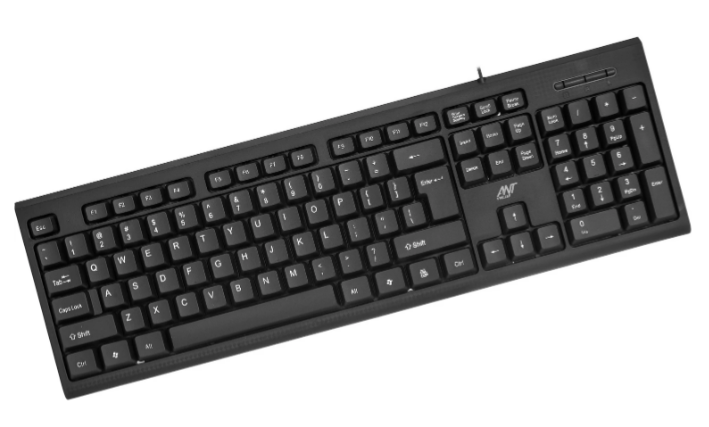
What Is a Keyboard?
A keyboard is an input device that allows users to enter text, numbers and commands into a computer or other compatible device. Modern keyboards can include additional multimedia keys, shortcut buttons, backlighting and programmable controls.
A good keyboard can improve typing comfort, productivity and overall computer experience.
Types of Keyboards
Before buying a keyboard, it is important to understand the major types available in the market.
1. Membrane Keyboard
Membrane keyboards are commonly used for everyday computer work. They are generally affordable, lightweight and suitable for office work, browsing and basic typing.
If you are looking for an economical keyboard for regular use, a membrane keyboard can be a practical choice.
2. Mechanical Keyboard
Mechanical keyboards use individual mechanical switches beneath the keys. They are popular among gamers, programmers and people who spend many hours typing.
Mechanical keyboards can provide a more responsive and satisfying typing experience. They are available with different switch types, allowing users to choose the feel and sound they prefer.
3. Wireless Keyboard
A wireless keyboard helps keep your desk clean by eliminating the need for a traditional wired connection. Depending on the model, it may connect through Bluetooth or a wireless USB receiver.
Wireless keyboards are useful for home offices, laptops, smart TVs and minimal desk setups.
4. Gaming Keyboard
Gaming keyboards are designed for users who want additional features for gaming. Many models include RGB lighting, programmable keys, anti-ghosting and fast-response switches.
If gaming is your priority, look for a keyboard with comfortable key switches, reliable performance and features that match the games you play.
Important Features to Check Before Buying a Keyboard
Choosing the right keyboard is not only about appearance. Consider the following features before making your purchase.
Comfort and Ergonomic Design
If you type for several hours every day, comfort should be a major priority. A well-designed keyboard can provide a better typing experience and help reduce unnecessary hand and wrist strain.
Wired or Wireless Connectivity
A wired keyboard is usually simple to connect and does not require batteries. A wireless keyboard provides more flexibility and helps reduce cable clutter.
Choose the connectivity option that works best for your setup.
Key Switches
The type of key switch can significantly affect how a keyboard feels while typing. Mechanical keyboards, for example, are available with different switches designed for different typing preferences.
Backlit Keys
Backlighting can be useful when working or gaming in low-light conditions. Some keyboards offer simple illumination, while gaming keyboards may include customizable RGB lighting.
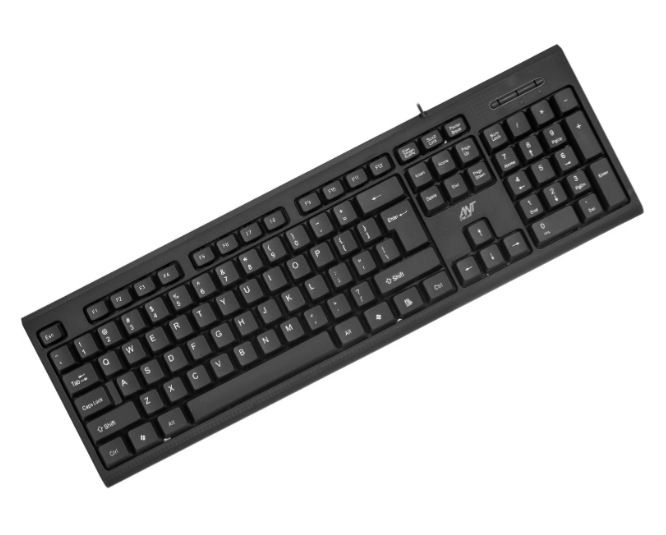
Multimedia and Shortcut Keys
Dedicated multimedia controls can make it easier to adjust volume, play or pause media and perform common functions without using additional software.
How to Choose the Best Keyboard for Your Needs
The best keyboard depends on how you plan to use it.
- For office work: Choose a comfortable and reliable keyboard with a practical layout.
- For students: Look for an affordable keyboard that is comfortable for long typing sessions.
- For gaming: Consider mechanical switches, anti-ghosting, fast response and gaming-focused features.
- For programming: A comfortable mechanical keyboard with a suitable layout can be a good option.
- For a clean desk setup: A wireless keyboard can help reduce cable clutter.
- For everyday use: A durable keyboard with comfortable keys and reliable connectivity is usually sufficient.
Why a Good Keyboard Matters
A keyboard is something you interact with every time you use your computer. A poor-quality or uncomfortable keyboard can make long typing sessions frustrating, while a well-chosen keyboard can make everyday tasks smoother.
Whether you are writing documents, attending online classes, working from home or playing games, investing in a keyboard that matches your requirements can improve your overall experience.
Final Thoughts
Choosing the right keyboard does not have to be difficult. Start by identifying your primary use—work, study, gaming, programming or general computer use—and then compare features such as key type, comfort, connectivity, backlighting and durability.
From affordable everyday keyboards to feature-rich mechanical and gaming models, there is an option for almost every type of user. Take a little time to compare your requirements and choose a keyboard that offers the right balance of comfort, performance and value