

Best Mouse for PC & Laptop
Introduction
Computer ya laptop use karte samay mouse ek important input device hai. Chahe aap office work kar rahe hon, online classes attend kar rahe hon, designing kar rahe hon ya gaming ka shauk rakhte hon, ek comfortable aur reliable mouse aapke daily computer experience ko kaafi better bana sakta hai.
"Best Mouse for PC & Laptop"
Market me alag-alag types ke mouse available hain, jaise Wired Mouse, Wireless Mouse, Bluetooth Mouse, Gaming Mouse aur Ergonomic Mouse. Har mouse ke features aur usage alag hote hain. Isliye mouse purchase karne se pehle apni requirement ko samajhna zaroori hai.
Growmindskills
Agar aap Best Mouse for PC & Laptop search kar rahe hain, to is complete buying guide me aapko mouse ke important features, types, DPI, connectivity, design aur usage ke according mouse choose karne ki useful information milegi.
Mouse Kya Hai?
Mouse ek computer pointing device hai jiska use screen par cursor ko control karne ke liye kiya jata hai. Iski madad se user files open kar sakta hai, applications select kar sakta hai, websites browse kar sakta hai aur different computer tasks easily perform kar sakta hai.
Generally ek standard mouse me left button, right button aur scroll wheel hota hai. Modern mouse me additional programmable buttons, adjustable DPI, RGB lighting aur ergonomic design jaise features bhi milte hain.
Laptop me built-in touchpad hota hai, lekin bahut se users precise aur comfortable control ke liye external mouse use karna prefer karte hain.
Mouse Ke Different Types
Mouse kharidne se pehle sabse pehle ye decide karein ki aapko kis type ka mouse chahiye.
1. Wired Mouse
Wired mouse USB cable ke through computer ya laptop se connect hota hai.
Advantages:
- Easy Plug & Play
- Battery ki zarurat nahi
- Stable connection
- Generally affordable
- Office aur home use ke liye useful
Agar aapko simple aur reliable mouse chahiye, to wired mouse ek practical option ho sakta hai.
2. Wireless Mouse
Wireless mouse cable ke bina computer se connect hota hai. Isme usually USB receiver ka use hota hai.
Advantages:
- Cable-free setup
- Desk par kam clutter
- Portable
- Laptop users ke liye convenient
Wireless mouse use karte samay battery life aur wireless connectivity ko zaroor check karein.
3. Bluetooth Mouse
Bluetooth mouse directly Bluetooth-enabled laptop ya computer se connect ho sakta hai. Isme normally USB receiver ki requirement nahi hoti.
Best Mouse for PC & Laptop
Ye un users ke liye useful hai jo clean aur minimal setup pasand karte hain.
4. Gaming Mouse
Gaming mouse specially gaming ke liye design kiya jata hai. Isme high DPI, programmable buttons, better sensor aur comfortable grip jaise features ho sakte hain.
Gaming ke liye mouse select karte samay DPI, sensor quality, response, polling rate, buttons aur ergonomics par attention dena chahiye.
5. Ergonomic Mouse
Ergonomic mouse ko long-duration computer use ke dauran hand comfort ko dhyan me rakhkar design kiya jata hai.
Agar aap daily kai hours computer par kaam karte hain, to mouse ka shape aur grip aapke liye important factor hona chahiye.
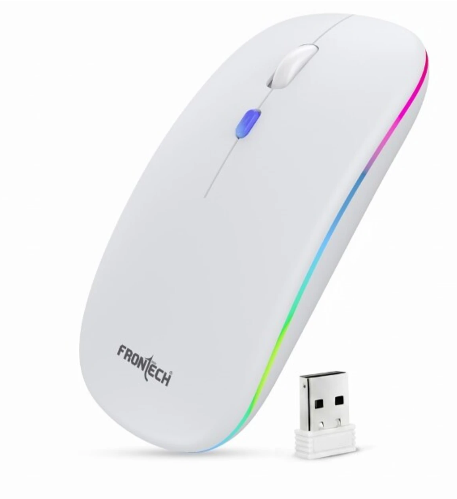
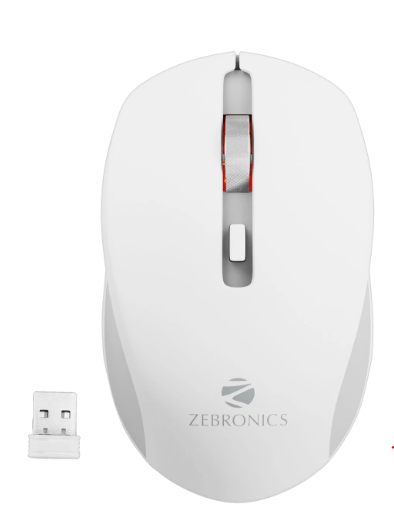
Mouse Kharidte Samay DPI Kya Hota Hai?
DPI ka full form Dots Per Inch hai. Mouse DPI cursor ki sensitivity ko indicate karta hai.
High DPI setting par cursor screen par relatively kam physical movement me zyada distance travel kar sakta hai, jabki low DPI par cursor movement comparatively controlled hoti hai.
Different users ki DPI preference alag ho sakti hai.
- Office Work: Moderate DPI
- Normal Browsing: Medium DPI
- Graphic Designing: Controlled DPI useful ho sakta hai
- Gaming: Game aur personal preference ke according DPI
Sirf high DPI dekhkar mouse purchase nahi karna chahiye. Sensor quality aur overall usability bhi important hai.
Wired vs Wireless Mouse – Kaunsa Better Hai?
Wired aur wireless dono mouse ke apne advantages hain.
| Feature | Wired Mouse | Wireless Mouse |
|---|---|---|
| Connection | USB Cable | Wireless/USB Receiver |
| Battery | Required nahi | Usually required |
| Portability | Good | Excellent |
| Cable | Hota hai | Nahi hota |
| Setup | Simple | Simple |
| Office Use | Excellent | Excellent |
| Laptop Use | Good | Very Good |
| Gaming | Reliable options available | Modern options bhi available |
Agar aapko maximum simplicity aur continuous connection chahiye, wired mouse useful ho sakta hai. Agar aap cable-free setup chahte hain, wireless mouse better choice ho sakta hai.
Gaming Ke Liye Mouse Kaise Choose Karein?
Gaming mouse select karte samay normal mouse ke comparison me kuch additional features important ho jate hain.
Important Gaming Mouse Features
DPI:
Game ke according sensitivity adjust karne ke liye useful.
Sensor:
Accurate tracking gaming performance ke liye important hai.
Polling Rate:
Mouse aur computer ke beech input reporting ko affect karta hai.
Programmable Buttons:
Different commands ya shortcuts assign karne me useful.
Grip:
Palm, claw aur fingertip grip ke according mouse ka shape choose karein.
Weight:
Kuch gamers lightweight mouse pasand karte hain, jabki kuch heavier mouse prefer karte hain.